

Find a place, address, or coordinate
Search place names and street addresses, paste coordinates, and find items you saved.
In Explore, tap the magnifying glass in the bottom bar. Enter a name, address, or coordinate, then tap a result to move the map there.
On glassing.app, search also takes a question, like "elk hunts within 10 miles of Wallowa Lake". See Ask the map.
Search by name
Glassing searches the names in your downloaded maps first. With a connection, it also searches online.
Results are listed nearest the center of the map first, and show distance and direction from there, not from your location. Move the map toward the area you want to search. A far place whose name matches better can still make the list.
When places share a name, the ones nearest the center of the map are listed. To find one farther away, add its state or county, like "Portland Oregon". A town is listed before a lake of the same name beside it.
Campgrounds, trailheads, huts, springs, and the other named sites on the map are searchable. So are named trails and backcountry roads, including forest roads by their number, like "NF 3960". Town streets and highways are found only as part of an address. A trail or road is listed once, and tapping it fits that stretch on the screen instead of keeping your zoom.
Tapping a named result marks it on the map. It does not create a saved waypoint. Use Save to keep a place.
Search for a street address
Type the house number and street, like "1234 SE Hawthorne Blvd". You can add the town, state, and ZIP code after commas. A street is found without its direction or type, so "1234 Hawthorne" works too.
Your downloaded maps include the street addresses within about 250 miles of them, so address search works there with no signal. With a connection, Glassing also finds addresses within about 250 miles of the center of the map, or anywhere in a state you type after the address. Addresses are listed above places, and tapping one zooms in to its street.
Addresses come from the U.S. Census Bureau. Glassing places each one on the correct side of its block, but not always at its door.
Search by coordinate
You can paste a whole message, including the words around a coordinate. Glassing finds the position inside it. For exchanging locations by satellite message, see Share coordinates with Garmin inReach.
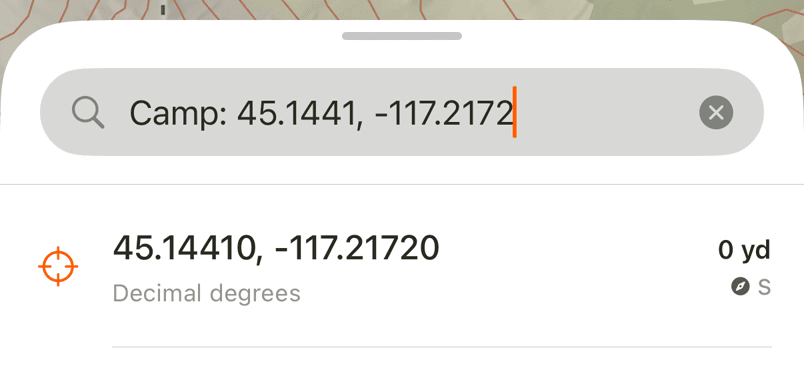
You can type decimal degrees, degrees and minutes, degrees-minutes-seconds, or UTM coordinates. A coordinate result opens the spot's panel. Tap Save to keep it or the navigation arrow to head toward it.
Tap Paste beside the search field to go straight to a copied coordinate, even one inside a longer message. Anything else you copied becomes the search. Glassing reads the clipboard only when you tap Paste, and never asks for permission to paste. Coordinates are interpreted on your phone.
Find something you saved
Search looks through your own waypoints, tracks, routes, and trips first and lists them above places, with or without a connection. Notes are searched too. Tap one to open it on the map.
If a place is missing
Offline search is limited to the place names in downloaded maps and the addresses near them. Download the area while you have a connection. If a map appears under Not searched, read the reason shown beside it.
Clear the search field to see recent searches. Recents stay on this device and can be cleared.
Need help? Email support.