

Share coordinates with Garmin inReach
Copy a message into Glassing, find the spot, and send a location back.
You can move locations between Glassing and Garmin Messenger, Explore, or another messaging app by copying and pasting. Use Garmin to exchange messages and Glassing to see the locations on your downloaded map.
Find a location someone sent
Copy the message from your messaging app. You can copy the whole message, including the words around the coordinates.
For example, paste Camp: 45.1441, -117.2172 into Glassing's search field. Glassing finds the coordinate inside the message. You do not need to select just the numbers.
In Glassing, open Search in Explore and tap Paste beside the search field. Glassing opens that spot on the map. You can also paste into the search field yourself and tap the coordinate result.
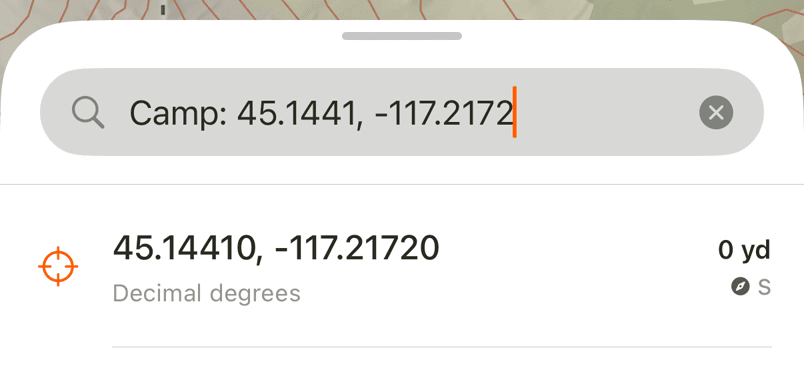
Check the location, then tap Save to keep it as a waypoint. Tap the navigation arrow to head toward it. Point navigation shows a straight-line direction; it does not find a trail to the person.
Coordinate formats you can paste
These examples all point to the same spot, within rounding:
- Decimal degrees:
45.1441, -117.2172 - Degrees and decimal minutes:
45°08.646'N 117°13.032'W - Degrees, minutes, and seconds:
45°08'38.76"N 117°13'01.92"W - UTM:
11T 482924 4998981
For latitude and longitude, put latitude first. Keep the minus sign or hemisphere letter: -117.2172 and 117.2172°W both mean west. In the UTM example, 11T is the zone and latitude band, followed by easting and northing in meters.
These formats also work inside a message, such as Camp at 11T 482924 4998981. Glassing displays the result as decimal degrees, whichever format you paste.
Send a location back
Tap any displayed coordinate in Glassing to copy it. Open your messaging app and paste it into your reply.
To share a meeting spot, tap that spot on the map and tap its coordinate in the panel. You do not have to save a waypoint first.
To share where you are now, tap the heading ribbon at the top of the map. It copies your current location. You can also tap your location dot and copy the coordinate from its panel.
Add enough context for the recipient to understand the point, such as Camp here: 45.14410, -117.21720. Glassing copies coordinates as decimal degrees.
Use it without cell service
Coordinate copying and search work on the phone without a connection. Download maps for the area before you leave, so you can see the terrain around an incoming location.
Satellite delivery happens through Garmin. Garmin Messenger requires a compatible connected inReach device and an inReach subscription for its satellite features. See Garmin's Messenger guide for setup.
If the paste does not find a point
Keep the full coordinate when copying, including hemisphere letters, minus signs, and the UTM zone if present.
A message containing only a web link may not contain coordinates Glassing can read. Copy the coordinate numbers from the location details, or ask the sender to include them as text. Glassing does not open a link to look up its location.
If the message contains several locations, copy the part for the one you want. For a very long message, copy the nearby text: Glassing checks the first 2,000 characters for embedded coordinates.
Need help? Email support.