

Cell Coverage
Choose a carrier, read its reported coverage, and compare service at a spot.
Cell Coverage shows where AT&T, T-Mobile, and Verizon report outdoor service. Use it to look for a possible place to check in during a trip. It does not measure your phone's signal or guarantee a connection.
Check Data coverage for published availability.
Choose a carrier
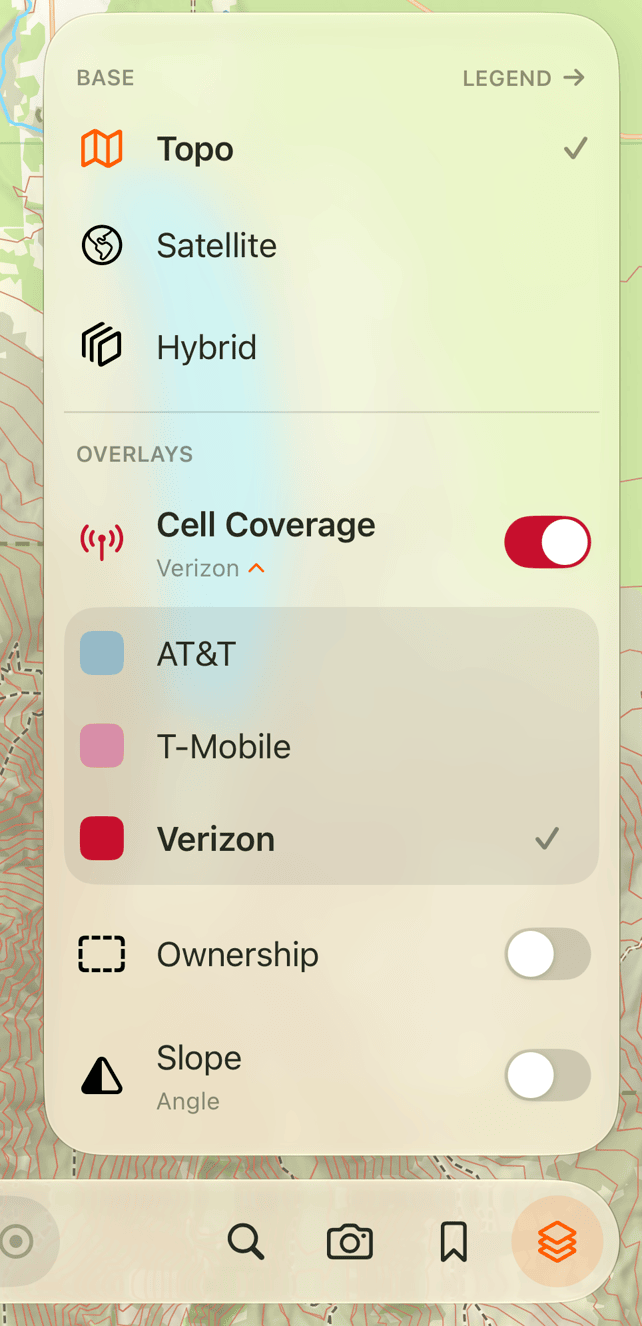
In Explore, tap the layers icon at the end of the bottom bar. Turn on Cell Coverage, then choose AT&T, T-Mobile, or Verizon. Nothing is shaded until you choose a carrier.
Glassing shows one carrier's coverage at a time and remembers your choice. To change it, tap the left side of the Cell Coverage row to open the carrier list. Tap that side again to close the list. Use the switch on the right to turn the layer off.
Read the shading
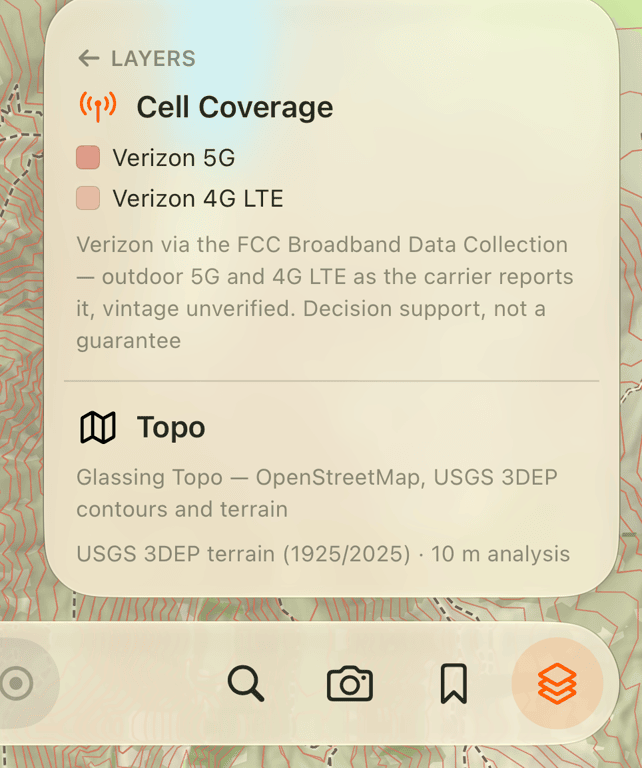
The selected carrier's darker shade means reported 5G coverage. The lighter shade means reported 4G LTE coverage without 5G. Darker does not mean a stronger signal.
Cell Coverage works over Topo, Satellite, and Hybrid. Zoom in if the map is too far out to show shading.
Open the legend to see the selected carrier's colors, source, and filing date. Vintage unverified means no filing date was supplied to the app.
Compare carriers at a spot
With Cell Coverage on and a carrier selected, return to the map and tap a spot in Explore. The point panel lists which of the three carriers report service there, with 5G or LTE beside each name. These labels compare all three carriers even though the map shades only the one you selected.
No service means no carrier coverage was found at that spot in the map data. It is not a live signal test. If coverage data has not loaded, the service labels do not appear. A blank map alone does not tell you whether service is available.
Know the limits
The data comes from carriers' filings to the FCC Broadband Data Collection. It describes reported outdoor service, not a guarantee that a call or message will go through. Check the filing date; coverage can change.
If your phone plan uses another company's network, check with your provider before choosing a carrier. The layer does not confirm your plan's access or roaming arrangements.
Cell Coverage is included in downloaded map grids. You can switch carriers and inspect reported coverage without a signal inside those grids. It is also available on the web map. Previously viewed areas may remain cached, but download the grids before relying on them offline.
If Cell Coverage is missing from your layers list, your app version does not include it yet.
Need help? Email support.