

Account, sync, and support
Sign in on another device, check sync, and get help.
You do not need an account to use Glassing. Sign in to sync your saved items across devices.
Tap the Glassing logo, choose Settings, and use Sign in with Apple. Use the same Apple Account on your other devices and at glassing.app/map.
What syncs
Trips, waypoints, routes, tracks, and photos sync. Settings and hidden-item choices stay on each device. Each iPhone or iPad you sign in on also tells your account which maps it has downloaded, so glassing.app can show them and send it more. The maps themselves stay on each device, so download them on every device you plan to take offline.
Share links made on your iPhone or on glassing.app are listed together in Settings → Shared Links. See Share a link.
A track still being recorded does not sync until recording stops. Photos from another device download when you open something that displays them. Open those photos while connected if you need them offline.
Check sync
Settings shows the last sync time and the number of waiting changes. Sync runs automatically after edits, when you sign in, and when you return to the app. There is no sync button.
If changes are waiting, check your connection and reopen Glassing. Check that both devices use the same account. If your session expired, sign in again; your local items remain.
When two devices change the same item, the newer edit wins. Deletions also sync. If photo storage is full, Settings says so; other items keep syncing.
Sign out or delete your account
Signing out leaves your downloaded maps and saved items on the phone. You can use them without signing back in. glassing.app stops showing that phone's maps. Deleting your account removes the account and synced data from the server, but also leaves the phone's local items in place.
Glassing does not sell your saved data, use it for ads, or pool it with anyone else's. See the privacy policy for details.
Subscription
An account is for sync; the subscription is separate. One plan: $19.99 a year in the US, with the first month free for new subscribers. Buy it in the Glassing app on iPhone, through the App Store, or by card on glassing.app. Either one works in both places once you sign in to the same account.
Every layer is free to look at. The subscription covers saving waypoints and new routes, recording, making share links, downloading or updating maps, and on glassing.app, asking the map. Importing a file and editing what you already saved stay free.
If your subscription ends while you are offline, Glassing keeps working with the subscription status it last received. Once it learns online that the subscription has ended, you have seven more days of full access. Glassing never becomes read-only without a connection, so it can't happen in the backcountry.
After those seven days, your downloaded maps and saved items remain viewable and navigable. Exporting waypoints, routes, and tracks as GPX stays free, and so do listing and revoking share links. A recording already in progress can finish and be saved. Starting new recordings, saving new waypoints or routes, making share links, and downloading or updating maps require a subscription.
Manage a subscription bought on iPhone through your Apple Account's subscriptions. Manage one bought on glassing.app from Account there, which opens Stripe's billing page to change your card or cancel.
The free month on glassing.app needs a card. It becomes a paid year unless you cancel before it ends, the same as in the App Store.
glassing.app follows the same rule. Every layer is free to look at there, and saving a waypoint or a new route, making a share link, or sending maps to your phone needs the subscription.
A subscription bought on glassing.app works on iPhone once you sign in to the same account there and Glassing has been online. It keeps working offline after that.
Get help
Open Settings → Support → Help to read these articles offline. Email support@glassing.app with a description of the problem and what you were doing.
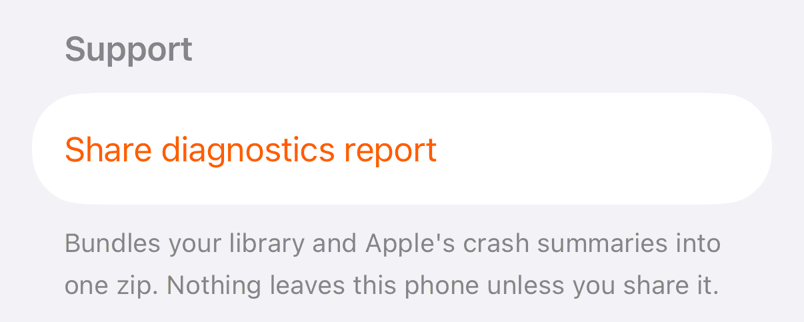
Share diagnostics report opens the share sheet with a ZIP containing your library and Apple's crash summaries. The library includes your saved locations. Review who you are sending it to; the report is only sent when you share it.
Need help? Email support.